 Punch
PunchCRMb Is Officially Live: The Business Side of Your Punch Workspace
The short answer: CRMb, Punch's CRM, scheduling, and job-costing companion, is officially out of beta — version 1.0 is live on the App Store today for Mac, iPad, and iPhone, plus the full web app at crmb.io. It shares one workspace with Punch: same team, same join code, same job sites. Your crew punches in Punch exactly as they do today, and every punched hour lands in CRMb as real labor cost on the job it belongs to — which means every job, and every client, shows the margin you actually earned. $39 for the first seat, $29 each additional, 14-day free trial, no contract.
If you run your crew on Punch, this is the other half of your business — officially ready.
What CRMb is
Punch answers who worked, where, and for how long — and does it honestly, with geofenced punches and real overtime rules. CRMb is everything wrapped around that: the clients, the pipeline of jobs, the crew schedule, the quotes and invoices, the inventory on the trucks, and the books.
One workspace, front to back:
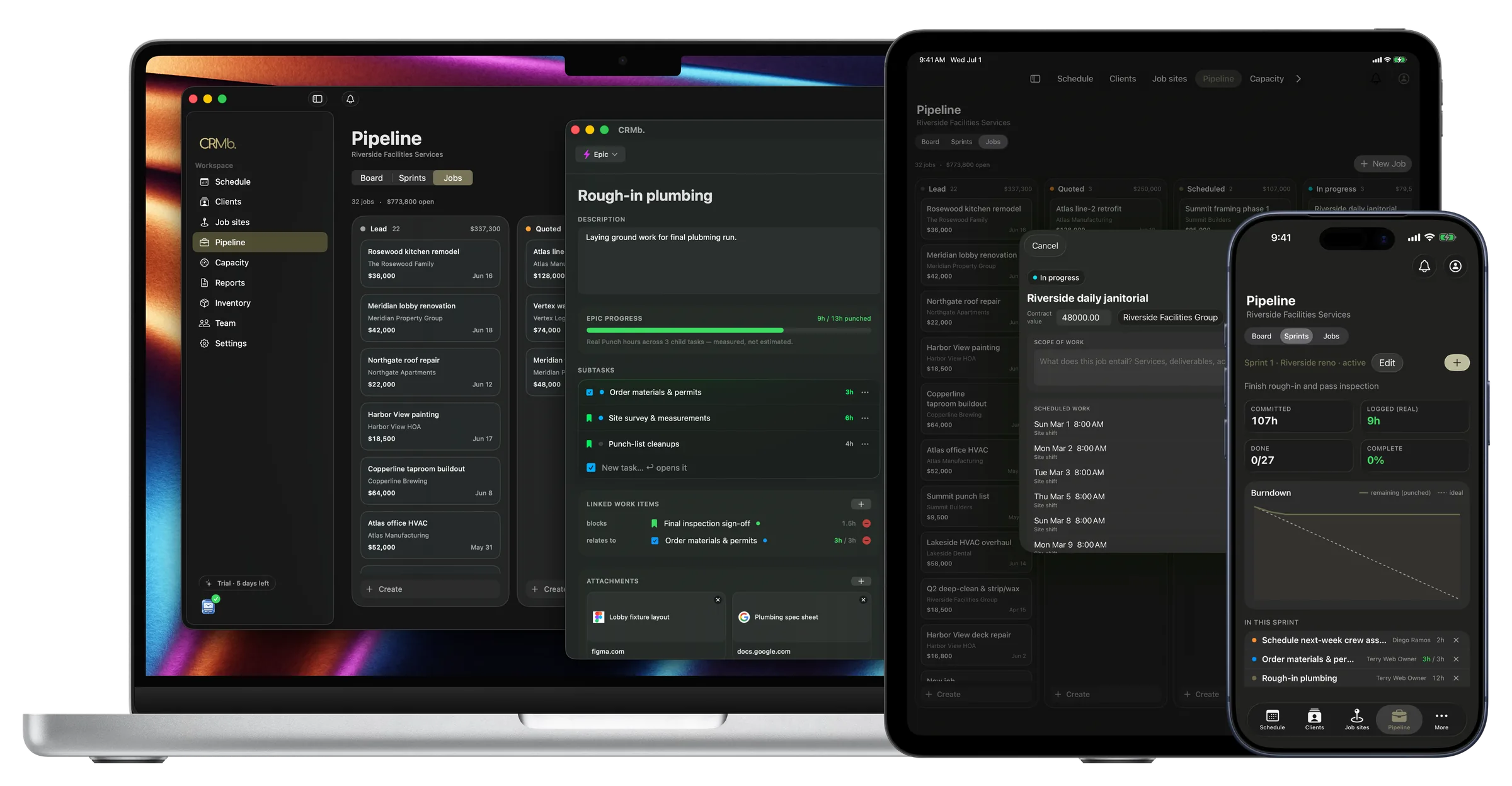
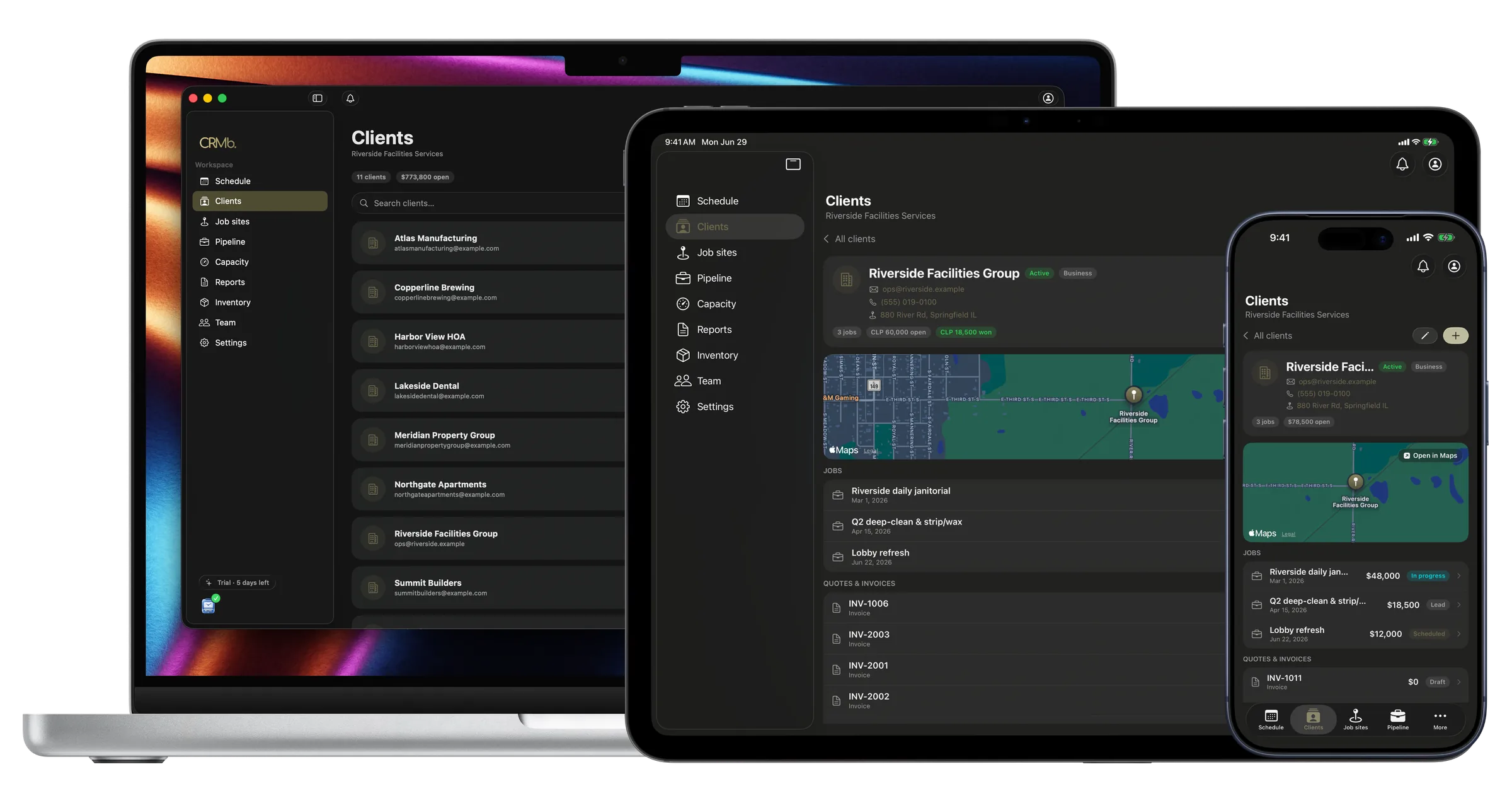
- Clients & pipeline — every client and job on a board, table, timeline, or sprint view, with stages you rename to match how you sell.
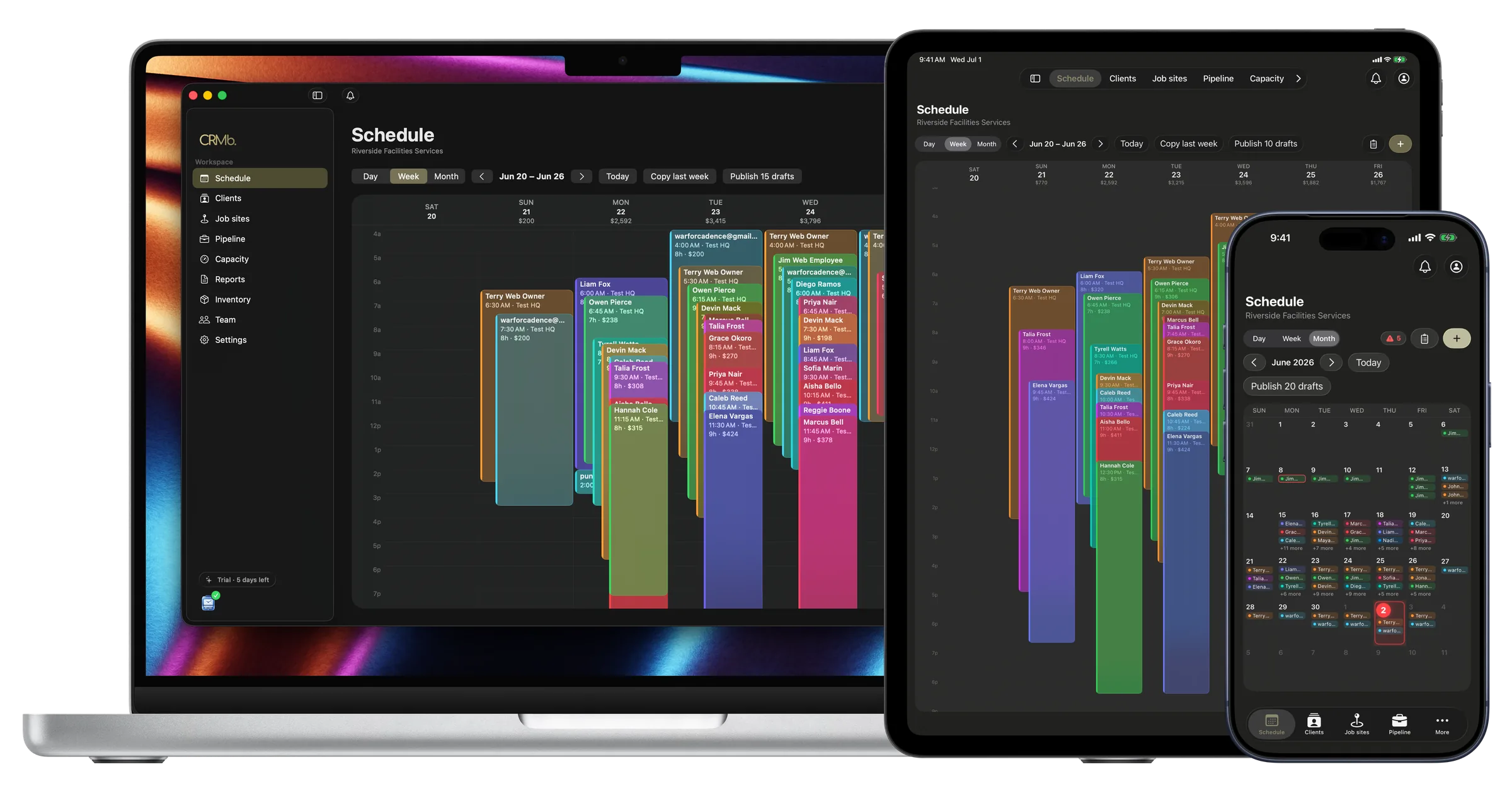
- Scheduling & capacity — plan the week, publish open shifts, and see who's stretched. Shifts you plan in CRMb appear in your crew's Punch app automatically, under My Shifts.
- Quotes & invoices — branded documents with public share links, quote accept/decline, and line items pulled from the job's real materials and labor.
- Inventory & purchasing — warehouse and truck stock, barcode scanning, purchase orders, receiving at average cost.
- Accounting — live bank feeds, a P&L, a general ledger, and reconciliation, attached to the same jobs and invoices.
Why Punch users should care
Every field-service CRM on the market prices jobs off estimated labor. Yours doesn't have to, because your labor isn't an estimate — it's punched.
The hours your crew records in Punch flow into CRMb as the job's actual labor cost, overtime included. So CRMb's reports can show a number no competitor can: margin on real hours — per job, per client.
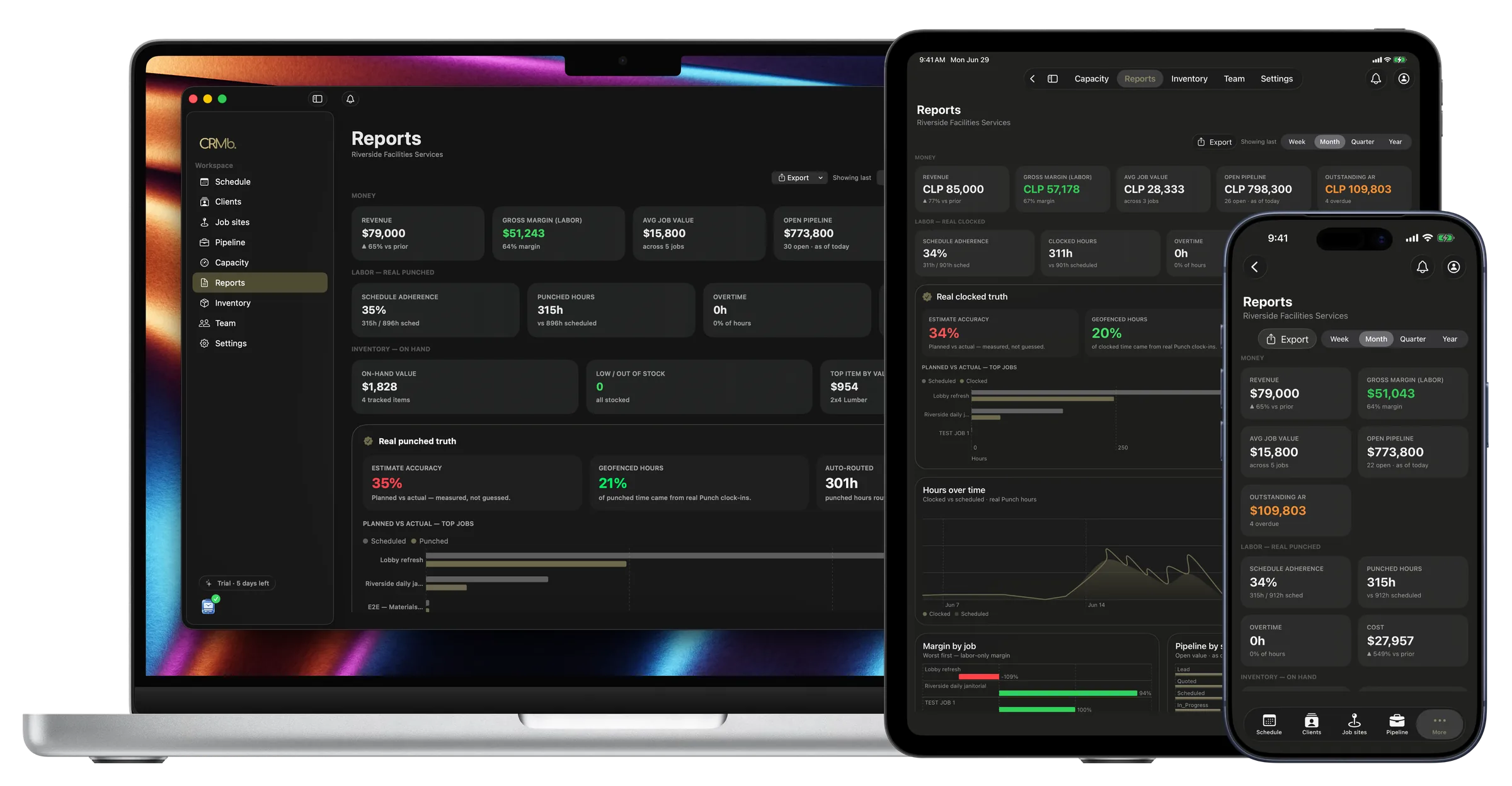
Which client pays the most is easy. Which client is worth keeping is the question that decides your year — and it takes verified hours to answer.
Nothing changes for your crew
Punch stays Punch. Your crew keeps punching in and out exactly as they do today — same app, same tabs, nothing new to learn, no new app to install. CRMb is for whoever runs the business: it reads the same workspace, so your roster, job sites, and punched hours are already there the moment you sign in. Nobody enters anything twice.
Pricing that respects you
No per-technician pricing. No CRM locked behind a top tier. No contract.
| | CRMb | |---|---| | First seat | $39/mo | | Each additional seat | $29/mo | | Inventory add-on (optional) | $20/mo for the whole org | | Free trial | 14 days | | Contract | None — cancel anytime, self-serve |
Get started in about a minute
- Download CRMb on the App Store — one app for Mac, iPad, and iPhone — or open crmb.io/app.
- Sign in with your Punch account. Your team and job sites are already there.
- Start the 14-day trial when you're ready to run it for real.
Punch tracks the work. CRMb runs the business. Officially, finally, both.