 Punch
PunchSwitch to Punch
Bring your history. Switch in an afternoon.
Coming from ClockShark, Connecteam, QuickBooks Time, or Buddy Punch? Export your timesheets, upload the file, and Punch matches every shift to your crew, lunches and approval statuses included. On a tracker we don't list? The universal template takes any spreadsheet.
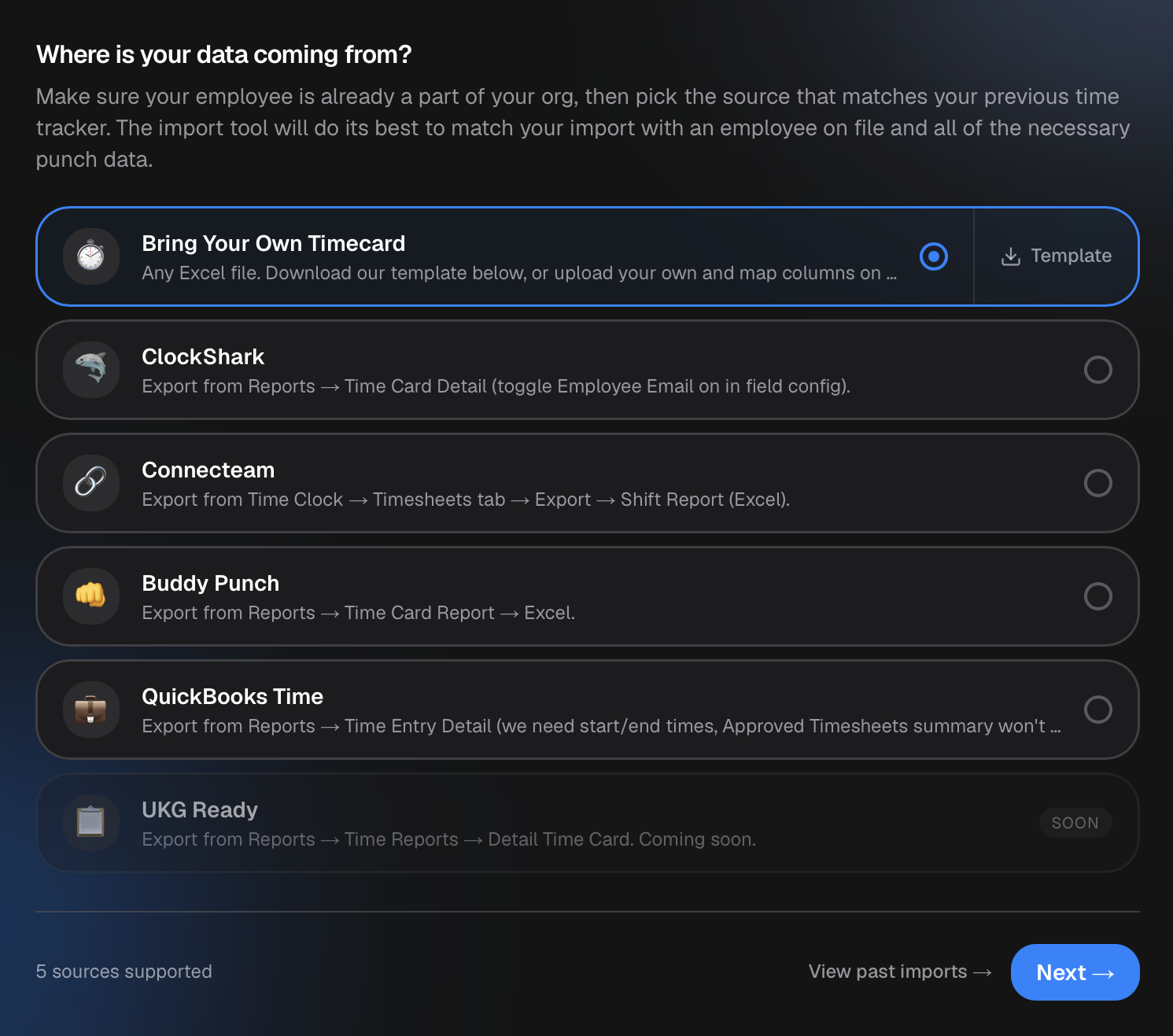
Your old timesheets, in Punch.
Add your team first, it's a minute with invite codes, then upload the export from your old tracker. Punch reads the file, matches each name to a teammate you've added, and brings over every shift: punch-in, punch-out, lunch breaks, and whether it was approved, pending, or rejected. You review the matches before anything lands, so a stray name never attaches to the wrong person.
Four trackers have a one-click profile, ClockShark, Connecteam, QuickBooks Time, and Buddy Punch, so Punch recognizes their export and maps the columns for you. On anything else? Download the universal template, paste your data in, and map the columns yourself on the next step. Either way, the same review-before-import flow applies.
Punch skips duplicates automatically, so a re-upload of the same file won't double-count a shift. Rows it can't place, an unmatched name, a job site you haven't created yet, surface in a review list instead of failing the whole import. You fix them in place and the rest still lands.
What comes over.
Every shift
Punch-in and punch-out times for each recorded shift, brought in against the right employee and date.
Lunch breaks
If your export includes a lunch start/end or a break duration, Punch brings the break in on the shift it belongs to.
Approval status
Approved, pending, or rejected, carried over as-is so your history reads the same way it did before. Default everything to approved if you'd rather start clean.
Job sites, matched by name
Shifts attach to the matching job site by name. Names that don't match yet land in a review list, so nothing is dropped.
One-click profiles for four trackers
ClockShark, Connecteam, QuickBooks Time, and Buddy Punch exports are auto-detected and column-mapped for you.
Universal template for the rest
Any other tracker, any spreadsheet. Download the template or upload your own, then map the columns in one step.
However you're arriving.
Leaving a named tracker
On ClockShark, Connecteam, QuickBooks Time, or Buddy Punch? Export, upload, review the matches, done. The column mapping is handled.
On something else
Homebase, a UKG export, a homegrown spreadsheet, whatever you've got. The universal template takes any columns and you map them once.
Mid-year move
Bring months of history so your reports and records don't start from zero the day you switch. Duplicate detection means you can re-run an import safely.
FAQ
Questions, answered.
- Which trackers can I import from?
- ClockShark, Connecteam, QuickBooks Time, and Buddy Punch have one-click profiles, Punch auto-detects the export and maps the columns. For any other tracker (Homebase, UKG, a spreadsheet of your own), use the universal Bring Your Own Timecard template and map the columns in one step.
- What gets imported?
- Your shift history: punch-in and punch-out times, lunch breaks, approval status (approved, pending, rejected), and the job site each shift belongs to. You add your team in Punch first, then the import matches each name to a teammate. Pay rates, balances, and payroll records aren't imported, those you set in Punch.
- What if a name or job site doesn't match?
- You review every match before the import runs, and pick the right teammate for any name Punch isn't sure about. Shifts whose job site you haven't created yet land in a review list, you assign them after, and they don't block the rest of the import.
- Will a re-import double-count my shifts?
- No. Punch detects duplicates on the employee and punch-in time, so re-running the same file skips shifts already imported. You can upload again safely if the first pass needed a fix.
Keep going.
Punch vs ClockShark, Connecteam, QuickBooks Time, Buddy Punch, Homebase
See how Punch compares: one flat price per org, every feature on every plan (PTO, commission, geofencing, reports), 60 countries, and a one-afternoon import from the tracker you're leaving.
Learn moreEmployee Timesheet Software for Small Teams
Track weekly or bi-weekly timesheets by employee, mark pay periods paid by payment method, apply overtime presets, and export every visible pay period to Excel.
Learn moreCRMb — Clients, Scheduling & Invoicing for Punch Teams
CRMb is the office side of Punch: clients, crew scheduling, inventory, and invoicing built on the same workspace and the same punched hours. iPad, Mac, and web.
Learn more
Set up in a minute.
Create an org. Share the join code. Your team punches in today.