 Punch
PunchPunch for photographers
A set rate per shoot. Tracked to the minute.
Weddings, portraits, events: you price the shoot, not the hour. Punch pays the same way, with a per-location rate for every session and hours still on record.
Built for how shoots actually pay
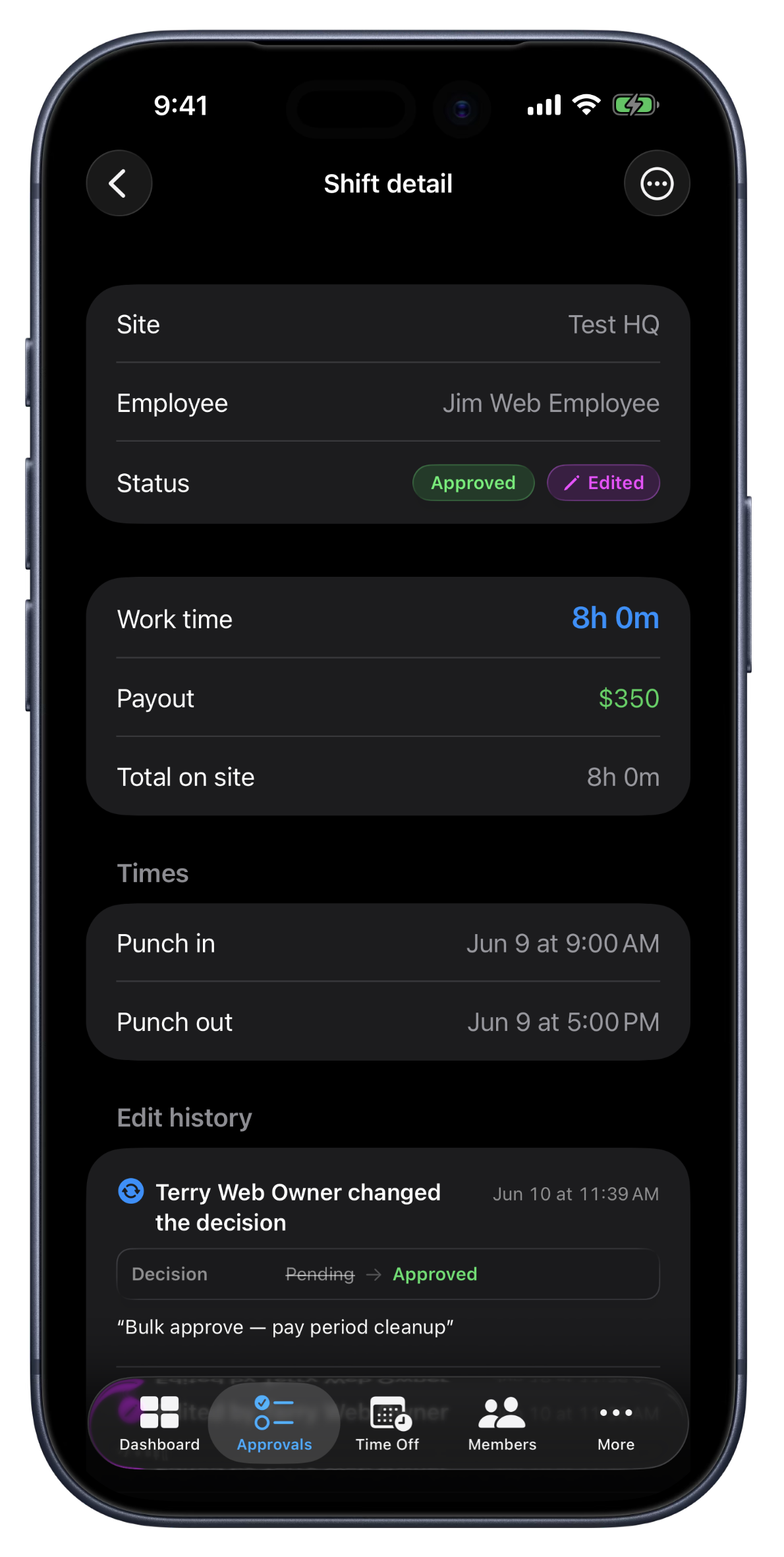
A second shooter gets $300 for the wedding whether it runs six hours or nine. An associate gets $150 per portrait session. Hourly time tracking has never matched how photography pays, so studios end up faking hourly equivalents or keeping pay math in a spreadsheet next to the calendar.
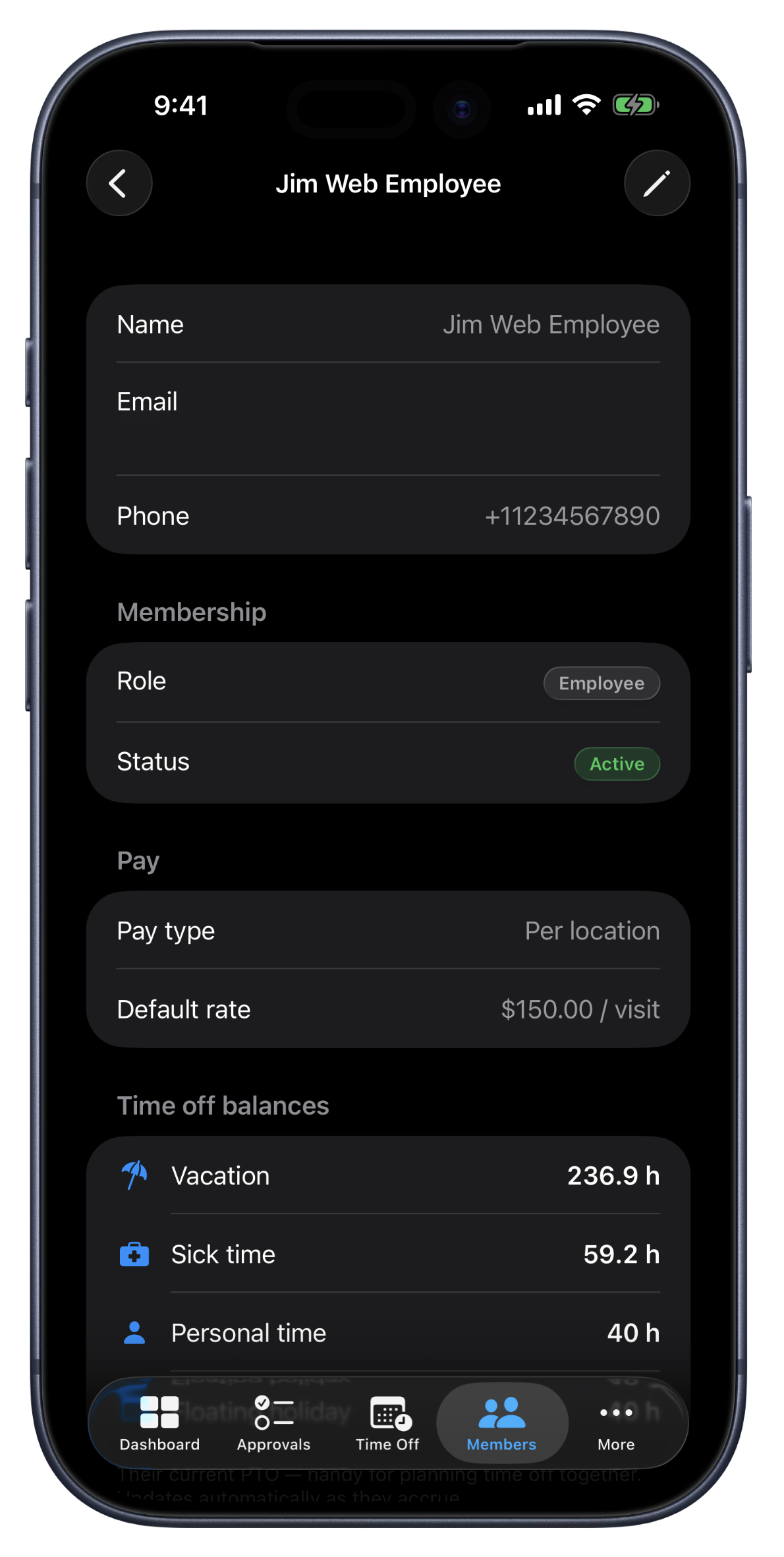
Punch has a third pay type built for exactly this: per location. Set a default rate per shoot, then override it for specific venues or session types, like a studio rate and a wedding-venue rate. One punch-in, one punch-out, one visit at the right rate. Change a rate later and every unpaid shoot reprices automatically; periods you've already paid stay exactly as paid.
Hours still get tracked on every session, so you keep the record of how long the wedding actually ran and when the session started, without the clock deciding the pay.
What photographers get
Per-shoot pay, built in
Pick “Per location” as the pay type, set a default rate, and every completed session counts as one visit at that rate. No hourly conversion math.
Venue-specific rates
A site rate beats the default at that location. The ballroom you charge more for can pay more, too. Overrides take a few seconds to set.
Rate fixes apply retroactively
Humans make mistakes. Correct a rate and every unpaid shoot follows it instantly; already-paid periods keep their original numbers.
Solo-friendly from day one
A one-person studio gets a Solo workspace: punch your own shoots, see earnings on My Shifts, and mark periods paid as clients pay you. There's no approval queue, because there's no one to approve.
Earnings by day, week, or period
My Shifts totals your money for today, this week, this pay period, or any custom range, with visits counted and unrated sessions flagged.
Second shooters and assistants
On team plans, every member can carry their own default and per-venue rates. One subscription covers the whole team.
How studios run on Punch
The solo wedding shooter
Every venue is a job site. Punch in at the ceremony and out after the reception; the shoot prices at your rate for that venue, and your week's earnings are one glance away.
The studio with associates
Associates punch portrait sessions at the studio's default rate; the owner reviews the week, sees visits and totals per shooter, and marks the period paid in one tap.
The mixed crew
Lead shooters on per-shoot rates, an editor on salary, a studio manager hourly. Three pay types, one timesheet, one export to your bookkeeper.
FAQ
Questions, answered.
- Does Punch handle bookings or client galleries?
- No. Punch tracks time and pay. Your booking flow, contracts, and galleries stay in the tools you already use; Punch is the layer that records who shot what, when, and what it pays.
- What if a shoot runs long?
- The pay doesn't change. That's the point of a per-shoot rate. The hours are still recorded on the shift, so you know the wedding ran nine hours when you price the next one.
- Can I track mileage or expenses?
- Not in Punch. It tracks time and visit pay; expenses stay in your accounting tool. The Excel and QuickBooks-ready exports make the handoff clean.
- What does it cost for a solo photographer?
- The Solo plan is the cheapest tier and includes every feature, per-shoot pay included. See pricing for current rates. Every plan starts with a 14-day free trial, no card required.
- Do I have to use the geofence?
- No. Geofencing is optional and off by default for solo workspaces. Turn it on if you want punch-ins verified at the venue, or leave it off.
Keep going.
Employee Timesheet Software for Small Teams
Track weekly or bi-weekly timesheets by employee, mark pay periods paid by payment method, apply overtime presets, and export every visible pay period to Excel.
Learn moreTime Tracking Reports and Exports for Small Teams
Total hours, gross paid, daily hours, and top earners. Export to Excel or PowerPoint for the week, the last 4 weeks, the month, or the last 30 days.
Learn morePunch vs ClockShark, Connecteam, QuickBooks Time, Buddy Punch, Homebase
See how Punch compares: one flat price per org, every feature on every plan (PTO, commission, geofencing, reports), 60 countries, and a one-afternoon import from the tracker you're leaving.
Learn more
Set up in a minute.
Create an org. Share the join code. Your team punches in today.