 Punch
PunchComisiones · Bonos · Viajes
Ventas, bonos y el trayecto entre trabajos. Bien pagados.
Los empleados registran ventas con un toque. El dueño define el trato una sola vez. Punch calcula cada venta aprobada, bono y hora de viaje en el período de pago, con las horas extra calculadas con honestidad.
Un pago que refleja cómo gana tu equipo en realidad
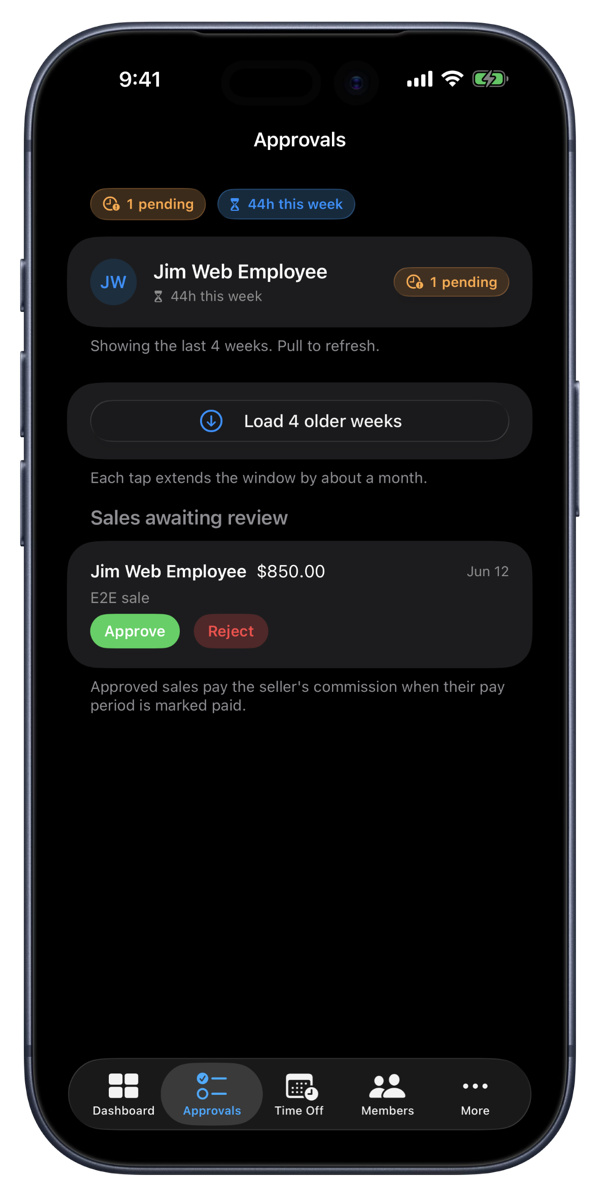
La comisión empieza en la pantalla de Punch. El empleado registra lo que vendió, la venta espera en la cola de aprobaciones y un gerente o el dueño la aprueba. Las ventas aprobadas se pagan con el período según el trato de cada persona: un porcentaje de la venta o un monto por unidad. Define un trato para toda la organización o personalízalo por persona en Miembros.
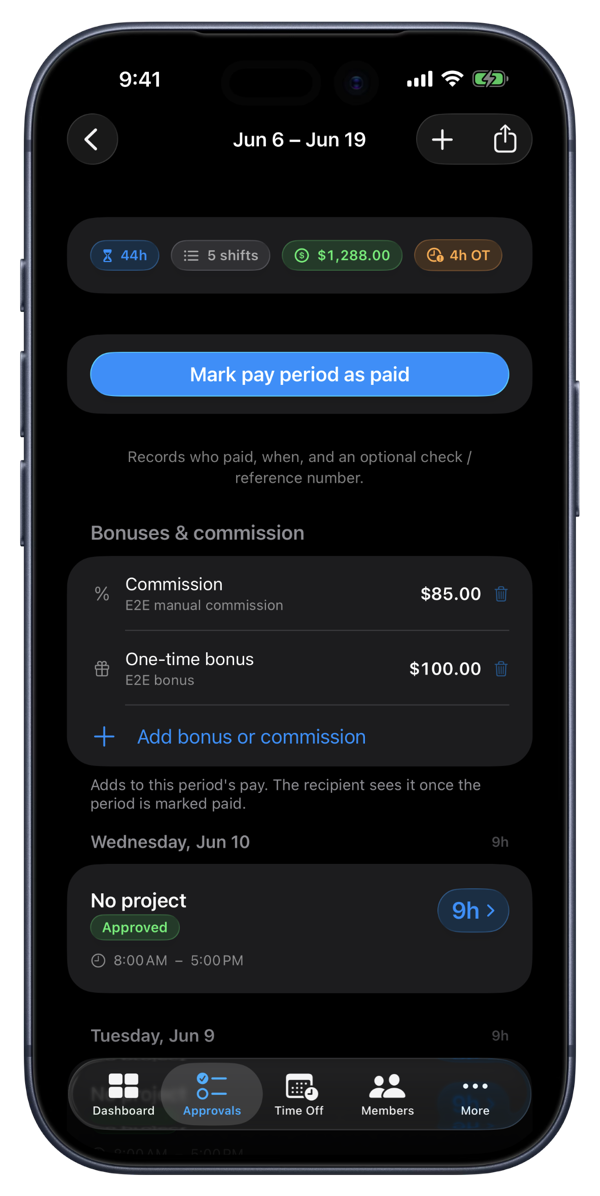
Los bonos los ingresa el dueño y son flexibles. Agrega un bono único a cualquier período o prográmalos por cadencia: por período de pago, mensual, trimestral o anual. Agrupa miembros en equipos bajo un gerente y dale a cada equipo su propia cadencia. Punch te recuerda la noche antes de que cierre un intervalo, y el destinatario ve el bono en cuanto el período se marca como pagado.
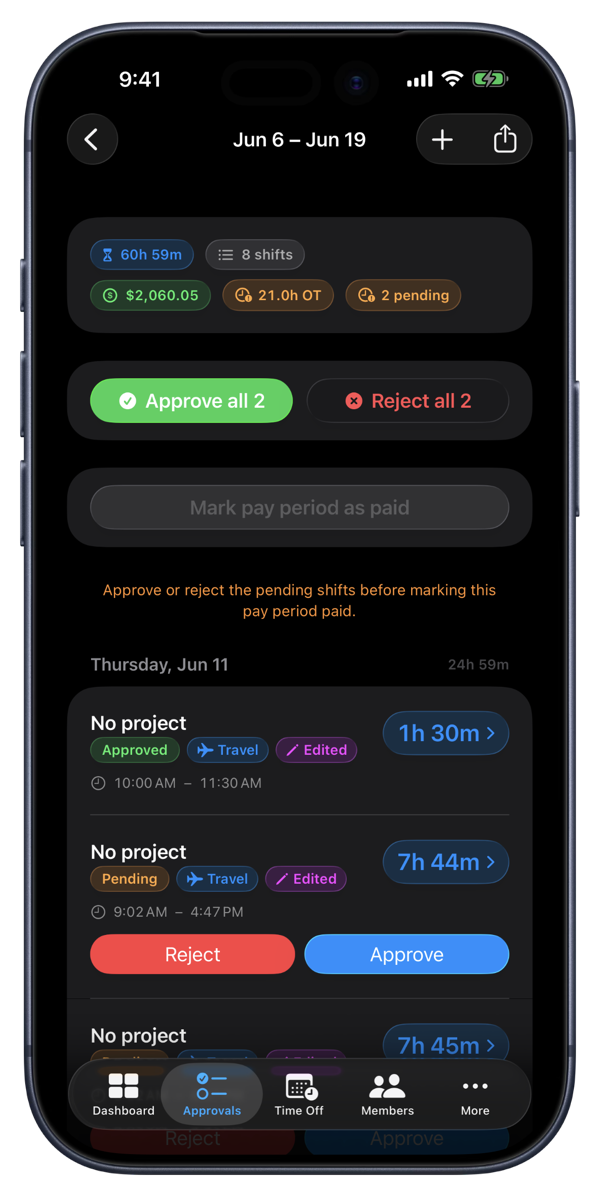
El tiempo de viaje es su propio tipo de turno, con una tarifa de viaje opcional por persona. Y el cálculo de horas extra se mantiene honesto: la comisión y los bonos ganados elevan la tarifa de horas extra como lo exigen las reglas de nómina, incluida la regla de bono fijo de California, y cada exportación lleva el dinero.
Cómo funciona
Registra una venta en dos toques
Los empleados registran el monto de una venta o un número de unidades desde la pantalla de Punch. Si están en un turno, la venta queda vinculada a él.
Los gerentes aprueban cada venta
Las ventas pendientes esperan en la cola de aprobaciones junto a los turnos pendientes. Nadie puede aprobar su propia venta.
Un trato, o uno por persona
Define un trato para toda la organización: porcentaje de ventas o monto por unidad. Quien tenga un trato distinto recibe su propio ajuste en Miembros.
Bonos en cualquier cadencia
Únicos, por período de pago, mensuales, trimestrales o anuales. Cada equipo bajo un gerente puede llevar su propia cadencia.
Tiempo de viaje, pagado con justicia
Las horas en tránsito se registran como su propio tipo de turno, con tarifa de viaje opcional. Una hora de viaje y una hora en sitio pagan exactamente lo que deben.
Horas extra honestas, en todo
La comisión y los bonos ganados elevan la tarifa de horas extra como lo exigen las reglas de nómina, incluida la regla de bono fijo de California. Las exportaciones a Excel y CSV llevan cada dólar.
Para equipos que ganan más allá de la hora
Cuadrillas de instalación que venden en sitio
Técnicos de clima, paneles solares y ventanas registran la venta adicional en el momento. La oficina la aprueba esa tarde y se paga con el período, integrada correctamente a las horas extra.
Salones y tiendas a comisión
Estilistas y personal de ventas registran servicios y productos. El dueño define un trato, ajusta a quienes negociaron distinto, y la nómina se calcula sola.
Cuadrillas con tiempo de carretera
Cuadrillas de jardinería y techado que se mueven entre propiedades registran el trayecto como tiempo de viaje con su propia tarifa, y el cálculo combinado de horas extra hace el resto.
Preguntas frecuentes
Respuestas, claras.
- ¿Cuándo se paga realmente una venta?
- Después de que un gerente o el dueño la aprueba, con el período de pago en el que ocurrió. Punch la calcula con el trato vigente al marcar el período como pagado, y la hoja de pago muestra la línea de comisión antes de confirmar.
- ¿La comisión cuenta para las horas extra?
- Sí. La comisión aprobada se integra a la tarifa de horas extra, de modo que las horas extra pagan más para quien gana comisión, incluida la regla de bono fijo de California. Punch aplica las reglas de horas extra de tu organización a la tarifa enriquecida. Punch no es asesoría legal.
- ¿Cuál es la diferencia entre un bono que cuenta para horas extra y uno que no?
- Tú eliges por bono. Un bono marcado como que cuenta para horas extra se integra a la tarifa como la comisión. Uno que no (un bono verdaderamente discrecional) se suma al pago del período sin cambiar la tarifa.
- ¿Cómo funciona el pago de viajes?
- El viaje es su propio tipo de turno. A los empleados por hora y por ubicación se les pagan las horas de viaje a su tarifa de viaje, o a su tarifa normal si no hay una definida. El cálculo de horas extra combina las dos tarifas para que cada hora pague lo que debe. El viaje del personal asalariado lo cubre el salario y aun así aparece en la hoja de tiempo.
- ¿Los empleados pueden ver las ventas o los tratos de otros?
- No. Cada empleado ve solo su propio registro de ventas. Los tratos y tarifas viven en Miembros, visibles para dueños y gerentes, nunca para compañeros.
- ¿Cómo se conectan estos números de pago con el costeo de trabajos?
- Las tarifas y horas detrás del pago son las mismas que usa CRMb, el complemento administrativo de Punch, para el costo real de mano de obra y el margen de cada trabajo — así lo que pagas y lo que cuesta un trabajo vienen de un solo conjunto de números.
Sigue explorando.
Software de hojas de tiempo para equipos pequeños
Lleva hojas de tiempo semanales o quincenales por empleado, marca períodos de pago como pagados por método de pago, aplica reglas de tiempo extra y exporta cada período visible a Excel.
Más informaciónControl de Tiempo Libre y PTO para Pequeñas Empresas
Lleva el tiempo libre pagado con saldos reales. Vacaciones, enfermedad, tiempo personal y más se acumulan cada período de pago. Define períodos de espera e hitos de antigüedad. El empleado solicita, tú apruebas, los saldos se actualizan.
Más informaciónCRMb — Clients, Scheduling & Invoicing for Punch Teams
CRMb is the office side of Punch: clients, crew scheduling, inventory, and invoicing built on the same workspace and the same punched hours. iPad, Mac, and web.
Más información
Listo en un minuto.
Crea una organización. Comparte el código de invitación. Tu equipo hace punch in hoy mismo.