 Punch
PunchTimesheets
Weekly or bi-weekly timesheets, without the spreadsheet.
A pay period per employee, anchored to whichever day your week starts on. Every shift, every break, every payout. Mark a pay period paid by payment method and Excel-export the whole thing in one click.
Make payroll easy.
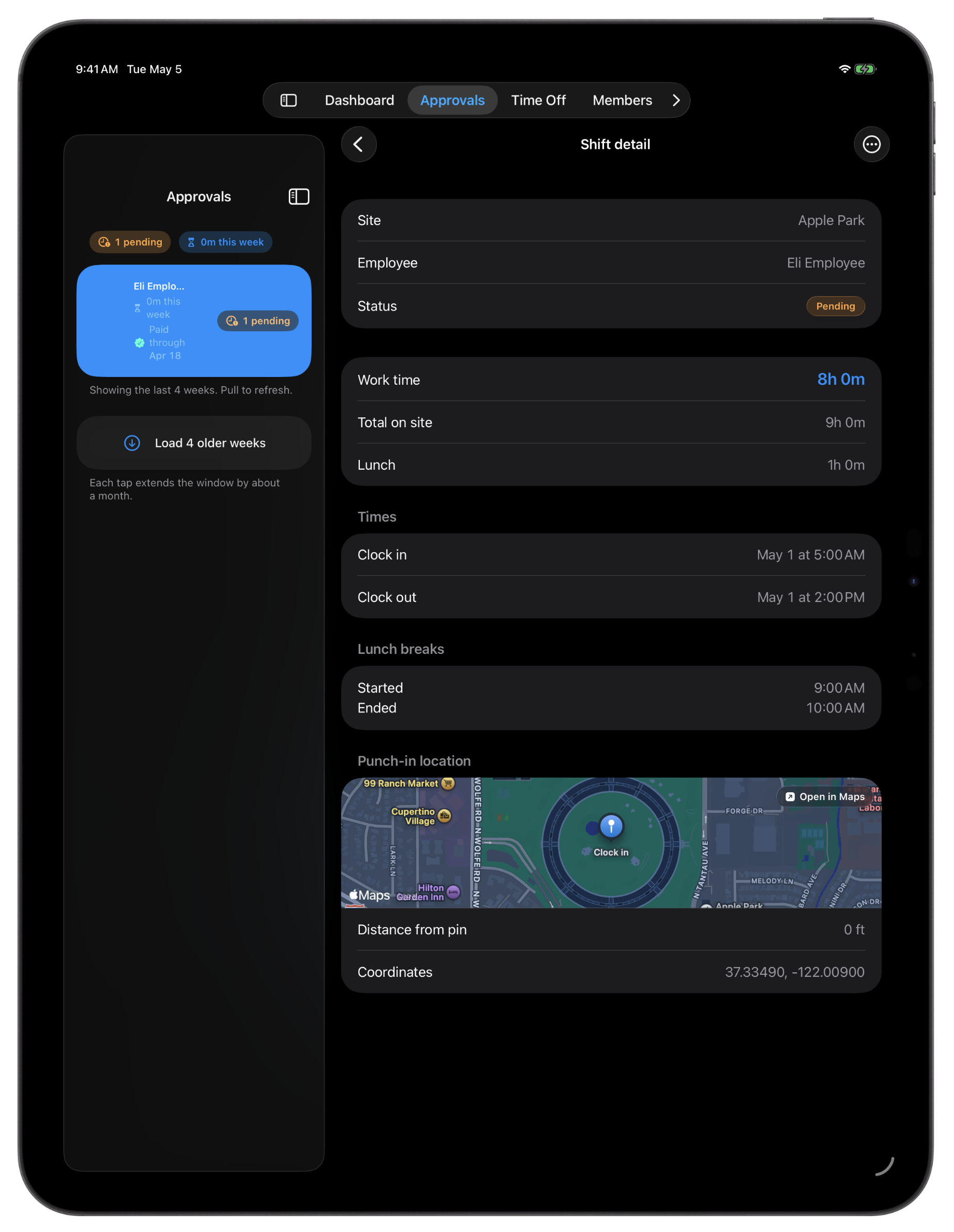
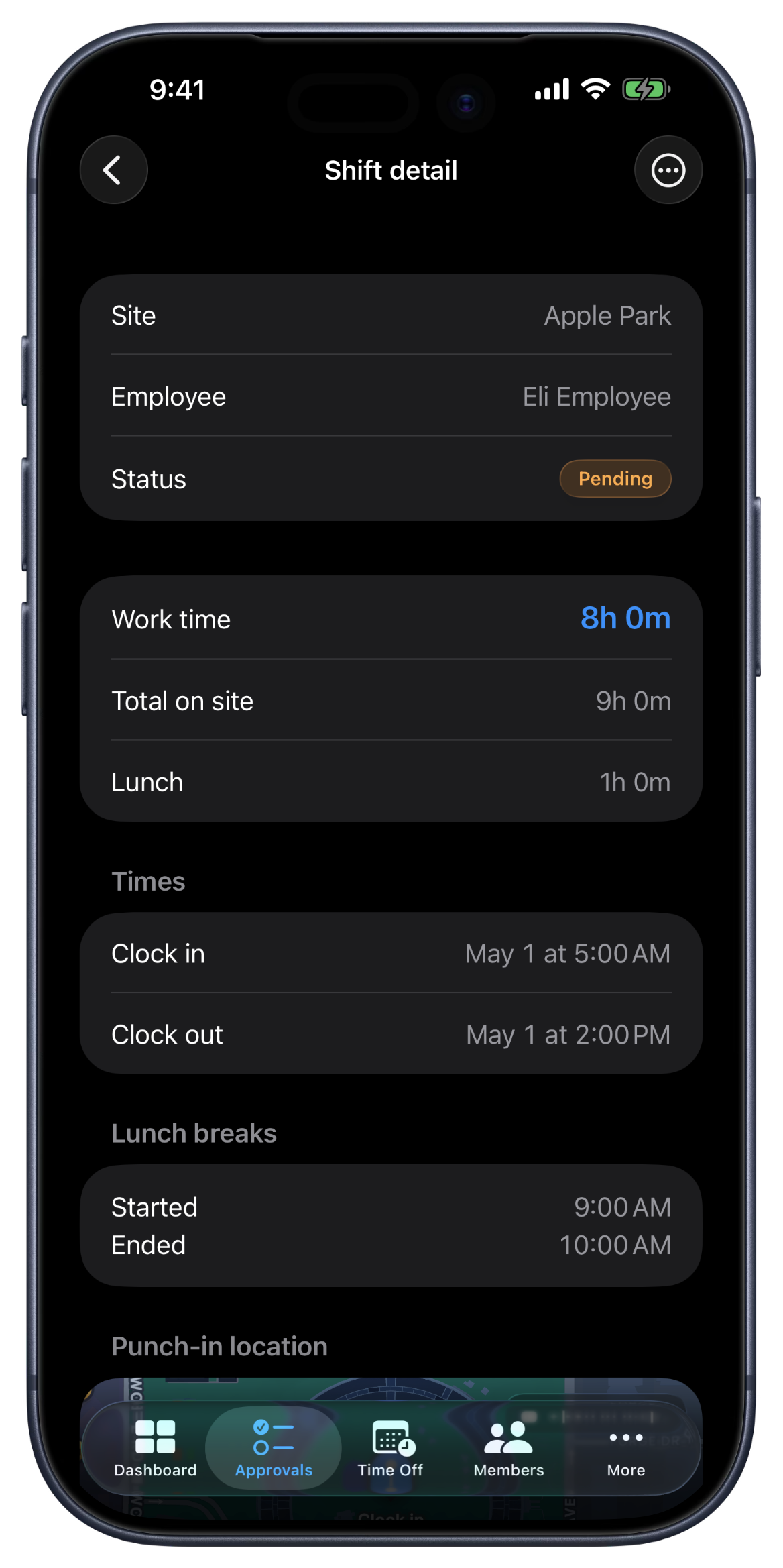
Every pay period, every employee, every shift, laid out in a single card you can expand for the daily breakdown. The pay period boundary is the same one the dashboard, the shift history, and the pay periods all use, so the totals always line up across screens. All payable hours accounted for automatically by Punch, so no need for spreadsheets or napkin math to keep up.
When the pay period is ready, mark it paid right from the card. Pick a method, cash, check, Venmo, Zelle, PayPal, ACH, or Other, and save. The gross is snapshotted at that moment with your overtime policy applied, so the figure in reports later is the figure you actually paid.
Owners and managers see every employee's pay period. Employees see their own in the Shifts tab on iPhone, iPad, or web, same numbers, same boundaries. When a shift gets edited mid-period, the change reflects everywhere, with the original times kept on the shift's history so nothing is silently rewritten.
Coming to Punch from another platform? Bring your old timecards with you. We've got an import tool that will guide you through the whole process, so you never lose a shift in the transition.
What the timesheet does.
One card per employee, per pay period
Expand it for the daily breakdown. Punch-in and punch-out times, break duration, net hours, payout, and source on every shift.
Numbers that line up
The same boundary the dashboard, shift history, and pay periods all use. Totals match across every screen.
Mark paid by method
Cash, check, Venmo, Zelle, PayPal, ACH, or Other. The method is saved on the pay period and the employee gets a notification that they've been paid.
Overtime presets baked in
Pick your country when you set up and the right overtime rules attach automatically, across 60 countries. In the US that's the federal week and California's daily rules; or set custom thresholds of your own. Applied at mark-paid time, so you don't do the math.
Excel export per pay period
One row per shift. Date, employee, site, punch times, lunch, net hours, status, payout. Export to Excel for any spreadsheet or payroll provider, or use Export for QuickBooks for a file shaped to drop straight into QuickBooks Online.
Unmark paid in one click
Made a mistake? Reverse it. The week reverts to ready-to-pay, and both the original mark and the unmark are kept in the records.
Where the timesheet earns its place.
Friday-night payroll
Approve the week. Mark each employee paid Friday afternoon. Export the Excel for your bookkeeper. Done before dinnertime.
Multi-site contractors
One employee at three sites in one week. The card rolls them up by pay period, not by site. Site detail is one click into the daily breakdown.
Overtime rules for your country
California has its own daily rules; Texas follows the federal week. Punch attaches your country's overtime rules automatically across 60 countries, and a custom option lets you set your own thresholds and multipliers.
FAQ
Questions, answered.
- What's the pay period boundary?
- Weekly or bi-weekly, anchored to the start day you choose for your org. Every Punch surface, timesheets, dashboard 'hours this pay period', pay periods, shift history, uses the same boundary, so numbers always match across screens.
- What payment methods are tracked?
- Cash, check, Venmo, Zelle, PayPal, ACH, and Other. The method you pick when marking a pay period paid is saved with the pay period, shows up in reports, and is included in the employee's payment notification.
- Does the timesheet handle overtime?
- Yes. The right rules attach when you pick your country, automatically, across 60 countries, or set custom thresholds yourself. Overtime rolls into the period's gross pay when you mark it paid. Per-shift figures stay at straight time so the math is easy to follow.
- Can I export the pay period?
- Yes, every visible pay period exports to Excel with one click. One row per shift: date, employee, site, punch-in, punch-out, lunch, net hours, status, payout. Drop it straight into your payroll provider's importer or a spreadsheet.
- What if I marked a pay period paid by mistake?
- Unmark-paid is one click. The week reverts to 'ready to pay' so you can re-mark it after fixing whatever was off. Both the original mark and the unmark stay in the records, actor, timestamp, and reason on each, so you can always retrace what happened.
- Can approved hours turn into client invoices?
- Yes. Once you approve a period in Punch, CRMb — the office companion that shares your workspace — can pull those same hours straight onto a client invoice, priced per person, alongside the job's materials.
Keep going.
Shift Approval Software for Small Businesses
Review punch times, lunch, and payout in one queue. Approve in one tap or reject with a reason that lands in the employee's inbox.
Learn moreTime Tracking Reports and Exports for Small Teams
Total hours, gross paid, daily hours, and top earners. Export to Excel or PowerPoint for the week, the last 4 weeks, the month, or the last 30 days.
Learn moreCRMb — Clients, Scheduling & Invoicing for Punch Teams
CRMb is the office side of Punch: clients, crew scheduling, inventory, and invoicing built on the same workspace and the same punched hours. iPad, Mac, and web.
Learn more
Set up in a minute.
Create an org. Share the join code. Your team punches in today.