 Punch
Punch
QuickBooks Online
Your hours, straight into QuickBooks.
Connect QuickBooks Online once, map your people, and send a whole pay period of approved hours to your books in a click. No spreadsheet, no manual entry, no copy-paste.
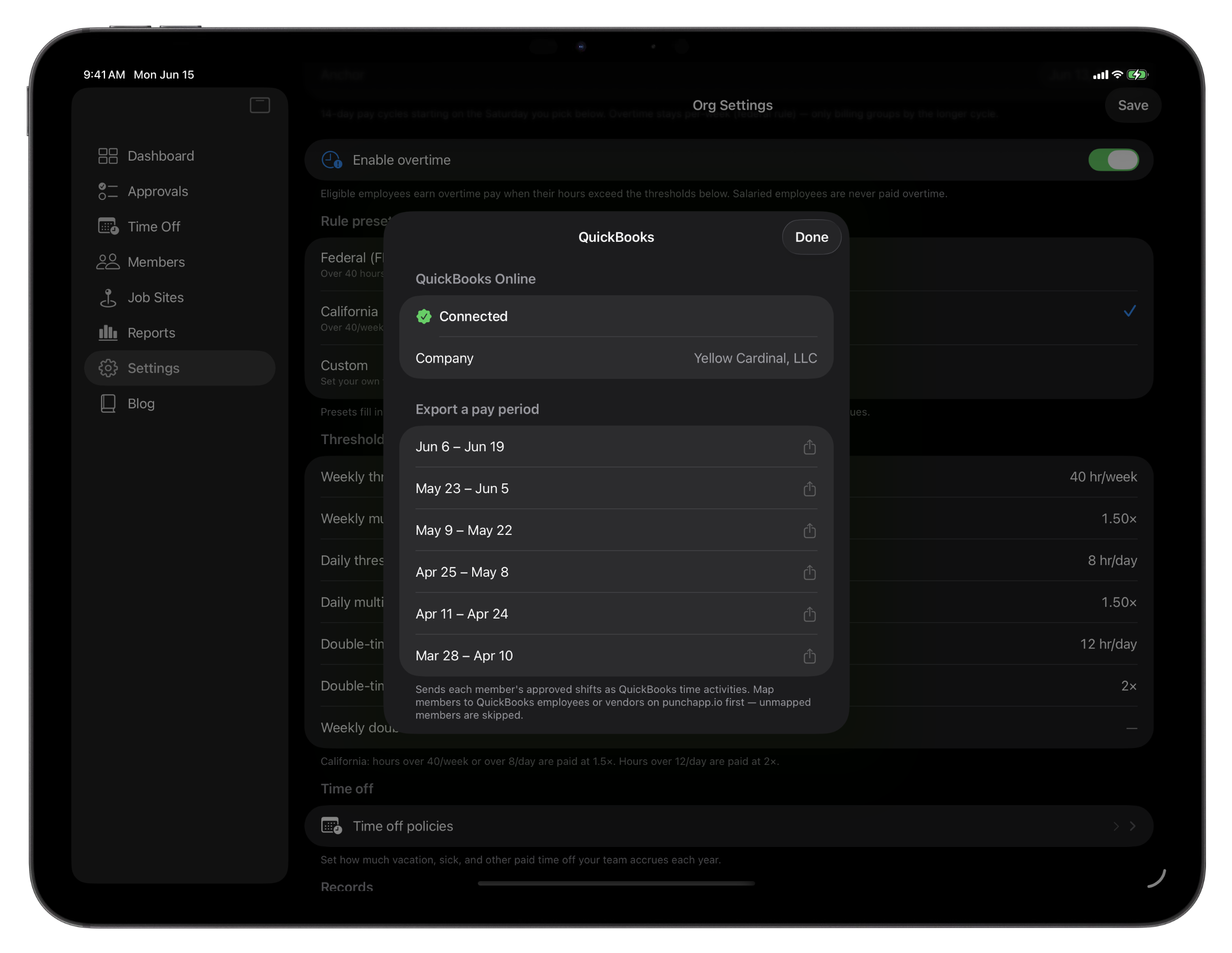
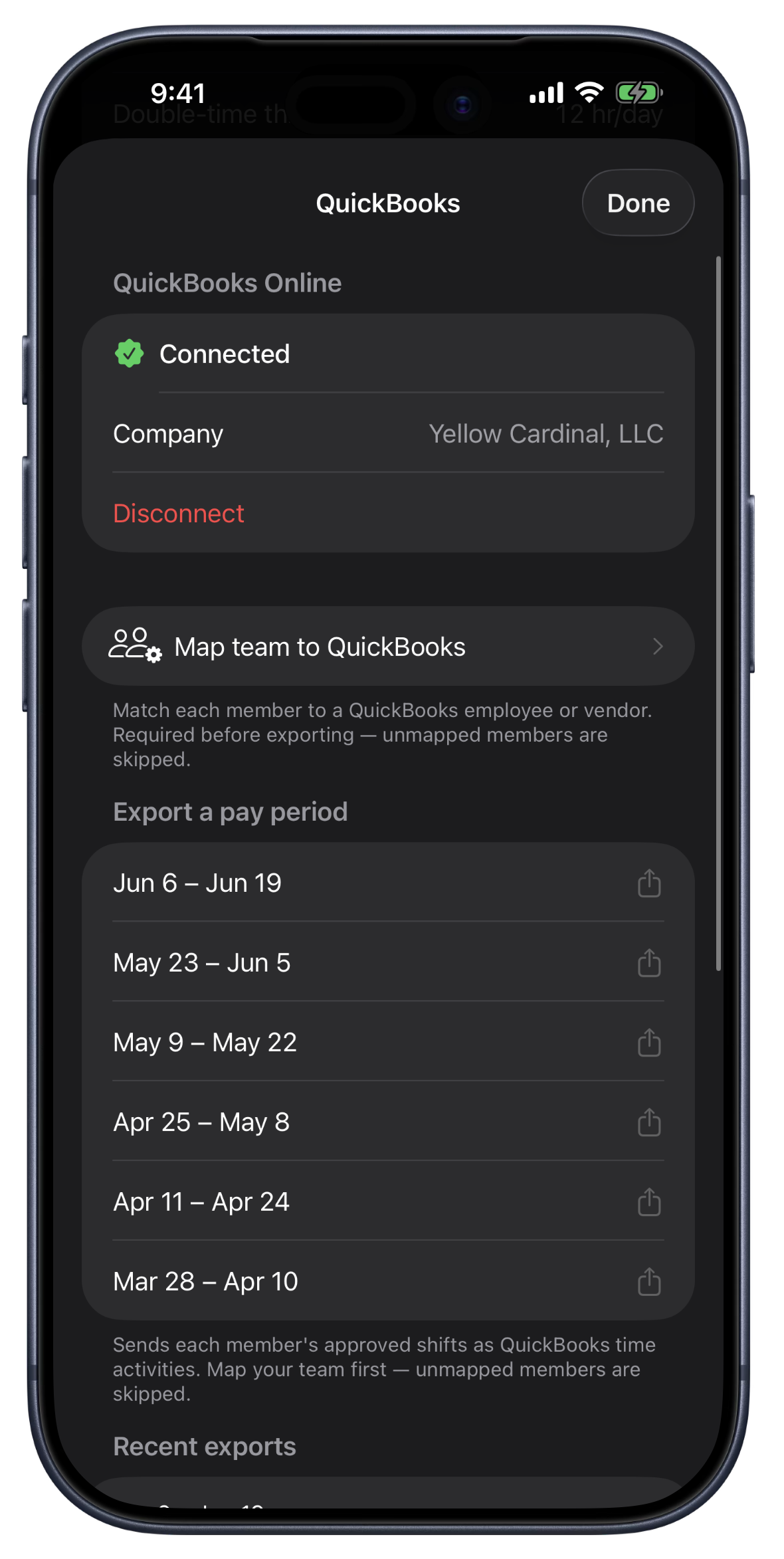
From approved to accounted, in a click.
Connect your QuickBooks company from Settings on iPhone, iPad, or the web, using the same secure Intuit sign-in either way. Once you're connected, Punch shows your real QuickBooks company name, so you always know which books you're sending to.
Map each Punch person to their QuickBooks record once. Employees map to QuickBooks employees, contractors map to vendors for 1099 work, and if you track work by class, your Punch teams map to QuickBooks classes. Punch even auto-matches names to get you most of the way there.
When you close a pay period, Punch sends each approved shift to QuickBooks as a time activity: the right person, the worked hours net of lunch, the date, and the job site as the customer for job costing. QuickBooks Payroll then runs the pay math on accurate hours. Punch handles time; QuickBooks handles the books.
It's built to be safe to run twice. Punch remembers which shifts it already sent, so re-exporting a period never creates duplicates. Every export is logged so you can see exactly what went over and when, and if a shift can't be matched yet, Punch tells you which one and why instead of failing quietly. Not connected yet? The Export for QuickBooks file still works for any pay period.
What the QuickBooks integration does.
Connect once, on any device
Link your QuickBooks Online company from Settings on iPhone, iPad, or the web. Secure Intuit sign-in, and the connection is shared across the whole org.
Map your people once
Employees to QuickBooks employees, contractors to vendors for 1099, and Punch teams to QuickBooks classes. Names auto-match to get you started.
Export a whole pay period
Mark a pay period and send every approved shift to QuickBooks as a time activity, the right person, hours, date, and job site, all in one click.
Net hours, the right way
Punch sends worked hours net of lunch and lets QuickBooks Payroll run the pay. Time stays in Punch; the pay math stays in QuickBooks.
No duplicate entries
Punch tracks which shifts it already sent, so re-exporting a period is safe. You never end up with a shift counted twice.
Every export logged
See exactly what went over and when. When a shift can't be matched yet, Punch names it and tells you why instead of failing quietly.
Where the QuickBooks integration earns its place.
Friday payroll close
Approve the week, mark each pay period, and push the hours to QuickBooks. The pay run starts from accurate, already-approved time.
Crews with 1099 contractors
Map your subs to QuickBooks vendors and their hours go over as contractor time, separate from your W-2 employees, no second system.
Job costing by site
Each shift carries its job site to QuickBooks as the customer, so labor lands against the right job and your cost reports stay honest.
FAQ
Questions, answered.
- Which QuickBooks does Punch work with?
- QuickBooks Online, including QuickBooks Online Payroll. Punch connects to your QuickBooks Online company and sends approved hours as time activities. QuickBooks Desktop isn't supported.
- What exactly gets sent to QuickBooks?
- Each approved shift goes over as a time activity: the mapped person, the worked hours net of lunch, the date, and the job site as the customer. Punch sends hours, and QuickBooks Payroll runs the pay math on them, so the two systems stay in their lanes.
- Will exporting twice create duplicate entries?
- No. Punch remembers which shifts it has already sent to QuickBooks, so re-exporting a pay period only sends what's new. Re-running an export is always safe.
- Can I send contractor (1099) hours?
- Yes. Map a person to a QuickBooks vendor instead of an employee, and their hours go over as contractor time activities, kept separate from your W-2 employees.
- Do I have to connect QuickBooks to use Punch?
- Not at all. The integration is optional and included on every plan. If you'd rather not connect, the Export for QuickBooks file still gives you a QuickBooks-ready timesheet for any pay period.
Keep going.
Employee Timesheet Software for Small Teams
Track weekly or bi-weekly timesheets by employee, mark pay periods paid by payment method, apply overtime presets, and export every visible pay period to Excel.
Learn moreTime Tracking Reports and Exports for Small Teams
Total hours, gross paid, daily hours, and top earners. Export to Excel or PowerPoint for the week, the last 4 weeks, the month, or the last 30 days.
Learn more
Set up in a minute.
Create an org. Share the join code. Your team punches in today.